
Platform
Visibility into your integrations, without daily maintenance
We run and monitor your integrations on the KoppelHet platform. See which data has been processed, receive alerts when issues occur and review what happened.
What the platform does
An integration runs on a fixed schedule or responds straight away to a notification from the source system. Every time it runs, the platform records what happened. It is the same information we use when we look into a question from you.
History per integration
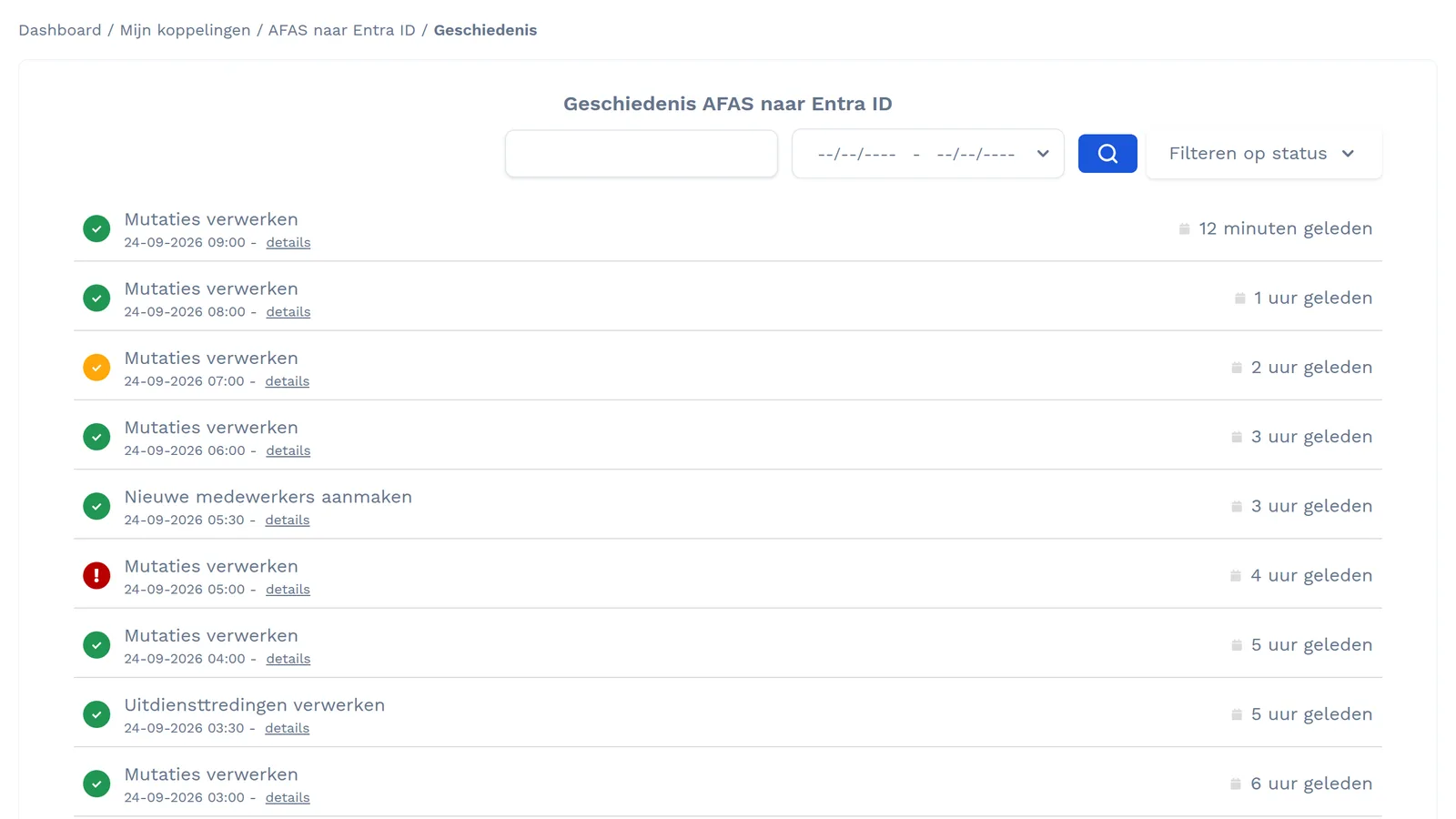
Every run with its status: succeeded, with warnings or failed. Filter by status and date, and search.
Logging per employee
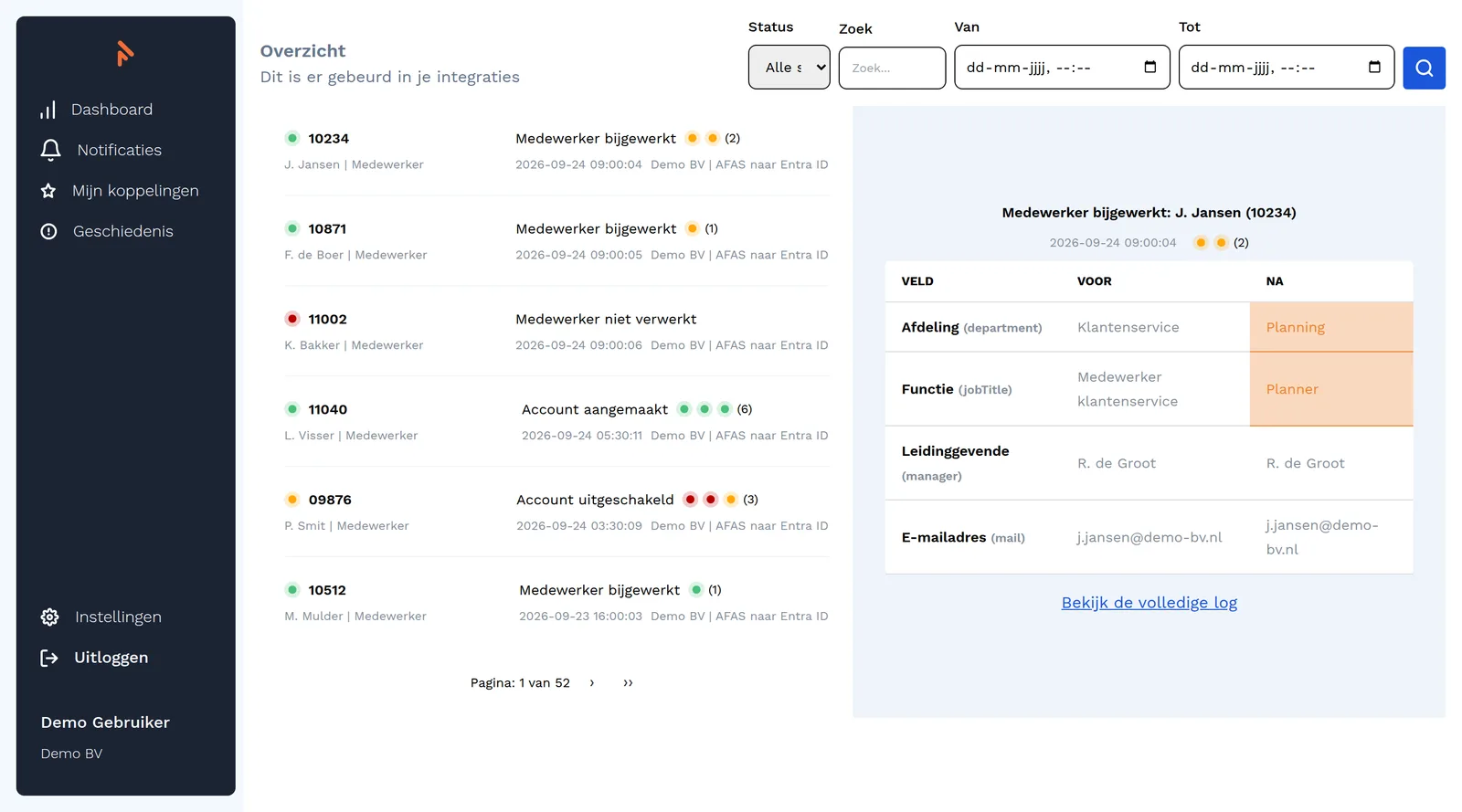
Search by employee number or name and see which fields changed, with the value before and after.
Error notifications
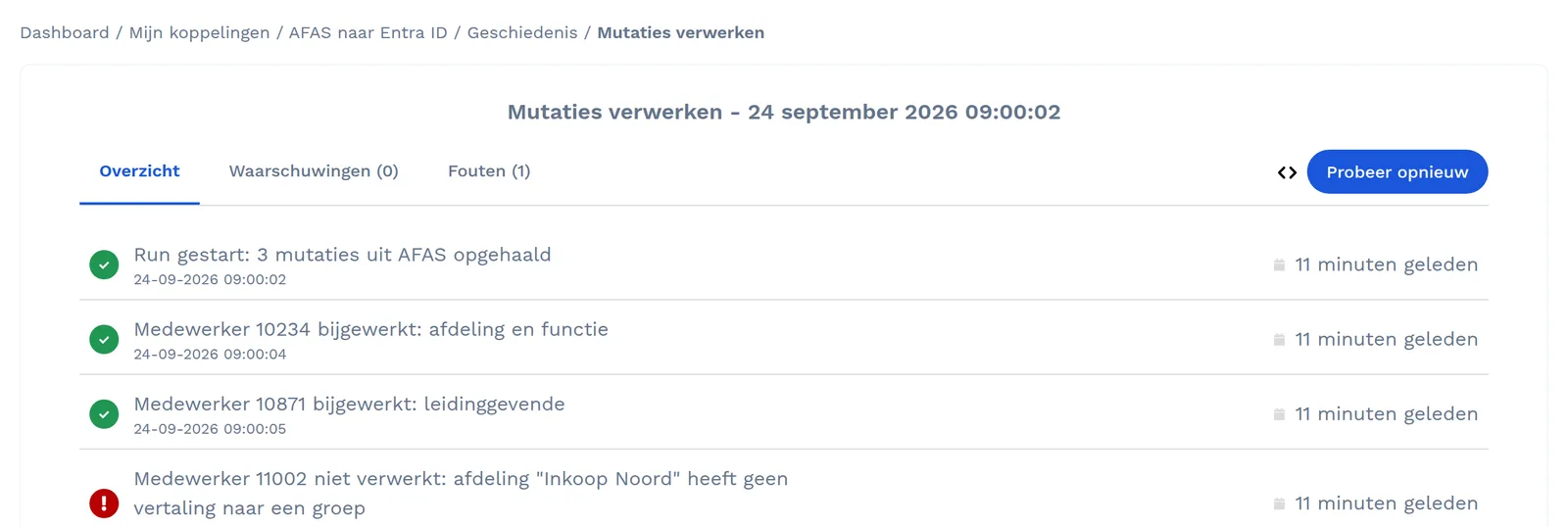
When a change fails, your administrator is notified with the reason. Anyone who wants it also gets a daily report at a time of their choosing.
Retry
Once the cause of an error is fixed, such as a missing translation, you restart the run from the logging.
Mapping and rules
Lookup tables, naming rules and exceptions live in the platform and can be changed without new code.
Source and target comparison
For IAM integrations the comparison puts HR next to the directory and shows differences per employee, also before go-live.
On-premises agent
For Active Directory and other systems in your own network, an agent runs with outbound connections only.
Sign in with Entra ID
Your colleagues sign in with their Microsoft account. Users can also be created automatically from Entra ID.
Hosted in Amsterdam
All data and resources are in Amsterdam. The platform is covered by our ISO 27001 certification and pentested yearly.
Custom work on proven building blocks
A KoppelHet integration is not an app you switch on. We build it for your organisation on this platform, with building blocks we reuse on every project. It is still custom work, but we do not start from scratch.
What is already in place: the connection to the API of systems we have connected before, translation rules that come up often, and the platform's logging, notifications, retries and support. What we design per organisation: which employees are included, which fields are transferred, how values are translated and what happens with exceptions.
The more that is already in place, the more predictable the lead time and price. The quote follows from the design for your organisation.
What it looks like
Three screens from the platform, with fictitious demo data. The platform itself is in Dutch.
Who can see what
Your colleagues sign in with their Microsoft account through Entra ID, so user management stays with you. Those without Entra ID sign in with email address and password. Two-factor authentication is then mandatory for administrators.
For each user a role decides what they see and can do: only look at the logging, or also manage integrations. You add users yourself. We change a role or delete an account at your request.
What happens to the data
- The content of the logging and the credentials for your systems are stored encrypted in the platform
- You set the log retention per integration, from one to twelve months; after that the platform deletes it automatically
- The platform keeps no register of its own: the data stays in your HR system and your target systems
- Customer data is separated per organisation, with its own credentials per integration
Questions about the platform
Can we look at the logging ourselves?
Yes. Everyone with an account sees the history of your integrations and per employee what changed. You do not need to call us to know whether a change went through.
What happens to a change that fails?
The run gets the status failed or warning and the reason is in the logging. Your administrator gets a notification. Once the cause is fixed, you restart the run. If the cause lies in the integration, we fix it.
Do we need to install anything?
Usually not. The platform talks to the APIs of your cloud systems. Only for systems in your own network, such as Active Directory, you install an agent that only makes outbound connections.
Can we sign in with our Microsoft account?
Yes, through single sign-on with Microsoft Entra ID. Users can also be created automatically from Entra ID. That way control over who has access stays with you.